Sessions view
When nothing is waiting, aq shows a tab for each Claude session, with the picked session's screen live underneath.
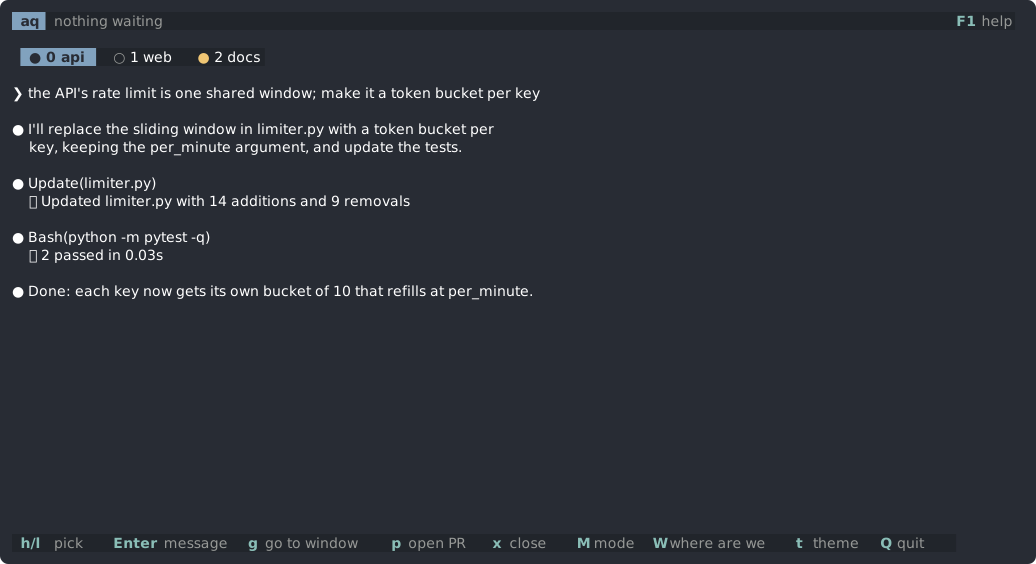
Tabs
●means the session is waiting for you;○means it is working.- Each tab shows the session's permission mode (auto, plan, accept edits) as its footer does, and the project's mode when it is not review.
- Sessions in different tmux sessions get a row each, led by the tmux session's name.
While aq's window is showing, tmux's own status line is hidden, since the tabs list the sessions. It shows on your other windows, and comes back when aq quits.
Keys
| Key | What it does |
|---|---|
h l (or j k) | pick a session |
Tab | the session you last typed in, here or in its own window; Tab again goes back to the one before. Moving with h l does not count. |
g | go to its window |
Enter | message it: sent now, or once it is idle (Esc cancels) |
A | message every session in its tmux session, each once idle |
W | ask where it is up to |
? | ask it a side question |
r | read its last reply fast |
b | that session in a popup the size of the ? box, with /btw typed in its box for a side question; Ctrl-Q closes it |
p | ask an idle session to open a PR (/create-pr) and go there |
m | switch its model: f fable, o opus, s sonnet, h haiku |
P | switch its permission mode: a auto, m manual, e accept edits, p plan |
x | close the session's pane, after a yes (claude --resume reopens it) |
Esc Esc | stop what it is doing, as Esc in Claude Code; also drops a message queued for it |
M | next mode for its project; the only way back from vibe mode |
Messages
Enter opens a box to message the picked session. If the session is busy, the message waits and is sent once the session is idle at its prompt.
Claude Code's suggested next prompt, when it has one, shows in lighter text in the box. Tab or Ctrl-F fills it in.
p and m use Claude Code's own commands: /create-pr, and /model, which also makes the model the default for new sessions.
Scrolling back
| Key | What it does |
|---|---|
Ctrl-U Ctrl-D, PgUp PgDn, or the mouse wheel | scroll the session's screen back, into its conversation |
Home | its oldest line |
G or End | back to the latest |
Scrolling up past the screen reads the session's conversation from its transcript, so you can read further back than tmux keeps.