aq
aq is a terminal app for people who run several Claude Code sessions in tmux. It watches every session and puts whatever needs you in one queue, shown one card at a time:
- a diff to review when a session finishes its turn,
- an edit to allow before it is applied,
- a permission prompt,
- a question, or Claude's own menu of options.
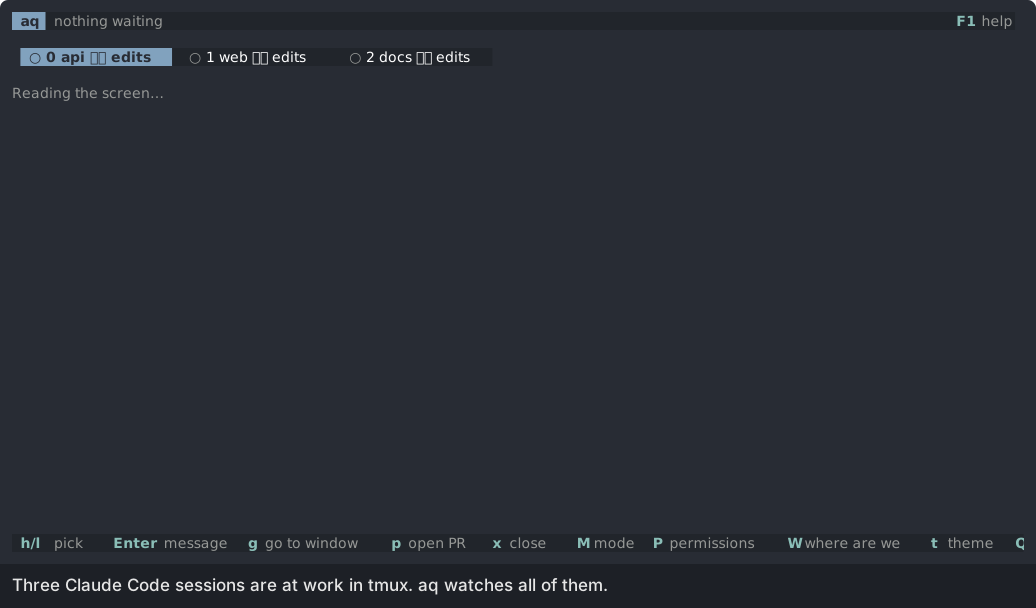
A card that comes in while you are on another one waits its turn. It never takes the screen. When nothing is waiting, aq shows every session live, and you can message one, start a new one, or ask where it is up to.
How it works
aq connects to Claude Code through hooks. When Claude wants to edit a file, asks for a permission or shows an option menu, the hook asks aq over a Unix socket and waits for your answer. When a session finishes its turn, aq reads its diff and its last message. If aq is not running, the hooks answer nothing and Claude carries on as normal.
aq does not start or own your sessions. Start Claude however you like, in any tmux window, and aq finds it.
Design principles
- Your attention is the bottleneck. The work comes to you in one queue, so you never cycle through windows to find the session that is waiting.
- An easy review loop. Comment on a line or a range of a diff, and send the comments to the session as one message, like a pull request review. The review is inspired by tuicr.
- Checking to suit the project. Each project has its own mode: review, step by step, quiz or vibe.
- Unobtrusive. aq runs beside your sessions. It needs tmux and the hooks, nothing else.
- Keyboard first, with vim keys.
Requirements
- Linux (aq reads
/procto find Claude sessions). - tmux, with aq and your Claude sessions running inside it.
- Claude Code, with the aq hooks added to its settings.
aq is open source under the MIT licence: github.com/nodo-labs-uk/attention-queue.
Install
Let Claude do it
Paste this into Claude Code:
Set up aq (https://github.com/nodo-labs-uk/attention-queue) for me.

1. Install it: download aq-x86_64-linux.tar.gz from the latest release
   (https://github.com/nodo-labs-uk/attention-queue/releases/latest), or
   clone the repo and run `cargo install --path .`.
   Make sure `aq` is on my PATH and `aq --help` runs.
2. Add the three hooks from contrib/settings-hooks.json to
   ~/.claude/settings.json. Back the file up first. Merge them into the
   existing PreToolUse, PostToolUse and PermissionRequest arrays, keeping
   every hook already there, and skip any that are already present. Show me
   the diff before saving.
3. Check that tmux is installed, and tell me which running Claude sessions
   need a restart to pick up the hooks.

Don't change anything else.
By hand
-
Get the binary. Either take it from the latest release:
curl -fsSL https://github.com/nodo-labs-uk/attention-queue/releases/latest/download/aq-x86_64-linux.tar.gz | tar xz
install aq-x86_64-linux/aq ~/.local/bin/
or build it from source:
git clone https://github.com/nodo-labs-uk/attention-queue cd attention-queue cargo install --path . -
Add the hooks to
~/.claude/settings.json. The three hooks are incontrib/settings-hooks.json, and Hooks explains each one.Warning: merge them into your existing
PreToolUse,PostToolUseandPermissionRequestarrays. If you replace the arrays, your other hooks stop running. -
Restart any Claude sessions that were running before you added the hooks. A session reads its hooks when it starts.
-
Run
aqin a tmux window of its own.
Check it works
aq --helpprints the commands.- In aq, the sessions view shows a tab for each Claude session in tmux.
- Switch a project to step mode (
Mtwice) and ask its session to edit a file. A step card shows the edit before it is applied.
Update
Download the new release, or run git pull and cargo install --path . again. Then quit aq with Q and start it again. Sessions keep running while aq restarts; a hook that fires while aq is down gets no answer, so Claude carries on as normal.
First run
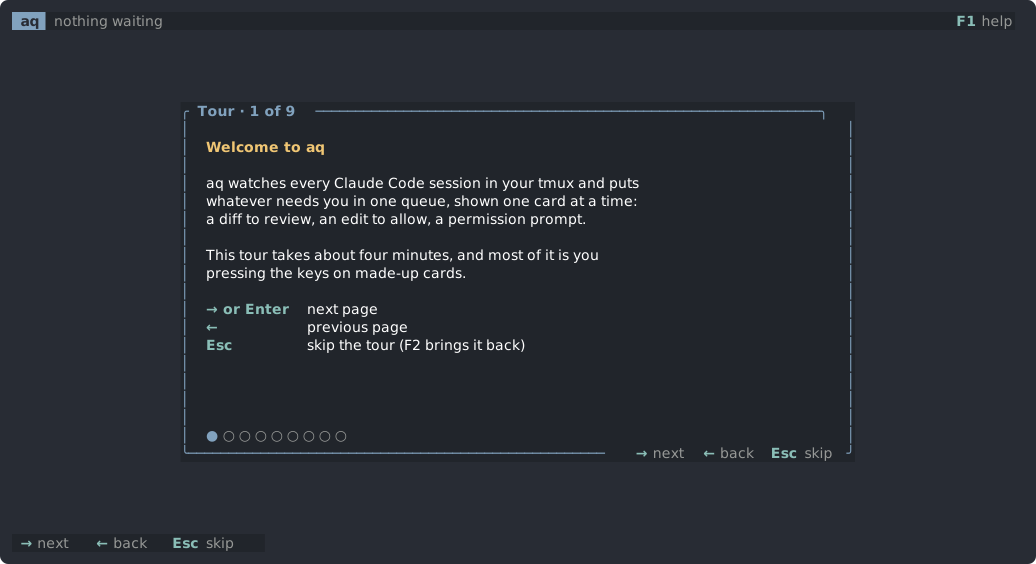
The tour
The first time aq starts, a tour opens. It takes about four minutes, and most of it is you pressing keys on made-up cards:
- A review: move around, comment, mark a file done, send, approve.
- Step mode: allow one edit, refuse the next with a reason.
- Quiz mode: answer a question, and send the gap the judge found back as a fix.
- Three made-up sessions: pick one, message it, ask where it is up to, start a new one, and move its project through the modes.
Nothing in the tour reaches a real session. F2 runs it again at any time.
The screen
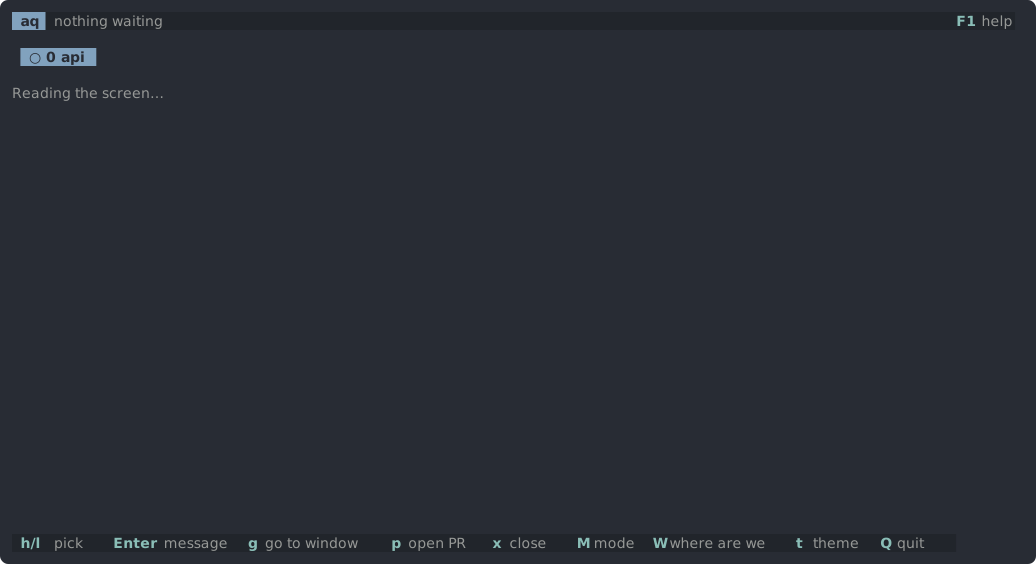
- The top bar shows how many cards are waiting behind the one on screen, how many questions are stashed (
Slists them), andF3 keys F1 helpon the right. - The middle is the card on screen, or, when nothing is waiting, the sessions view.
- The keys row along the bottom lists the keys for what is on screen. It is hidden until
F3shows it, and aq remembers the choice. While it is hidden, status messages show in the top bar.
Help
F1opens the help page with every key.jandkscroll it,Esccloses it.F3shows or hides the keys row.- Every key has the same list as this site.
Quitting
Q quits. aq saves review rounds, unsent comments and quiz progress, so a restart loses nothing. Cards are not saved. A hook still waiting when aq quits gets no answer: a permission prompt then shows in the session's own window, and an edit waiting in step mode is refused, so Claude tries it again later.
The queue
Everything that needs you becomes a card. aq shows one card at a time, and the top bar counts the cards behind it.
Order
Cards are shown in this order:
- Permission prompts and Claude's option menus. A session is stuck until you answer these.
- Step and shell-change cards, grouped by project.
- Everything else (reviews, questions, quizzes, messages), oldest first.
A card that comes in while you are on another one joins the queue. It never takes the screen from the card you are on.
Moving cards
| Key | What it does |
|---|---|
Space | Skip the card for now. It goes to the back of its group. |
B | Move the card to the back of the whole queue, behind every other card. |
x | On a question card: stash it. S lists stashed questions. |
Answered elsewhere
If you answer a card's prompt in the session's own window instead, the card stays, marked "answered elsewhere", until you press a key. That way a card never disappears from under you.
The 1.5 second guard
A card that takes the screen by itself ignores deciding keys (such as y, n and a) for 1.5 seconds. A key you meant for the previous card does not answer the new one by accident.
When nothing is waiting
With an empty queue, aq shows the sessions view: a tab per session, with the picked session's screen live underneath.
Modes
Each project (git checkout) has one mode. M on a card from that project, or on its tab in the sessions view, moves it to the next mode:
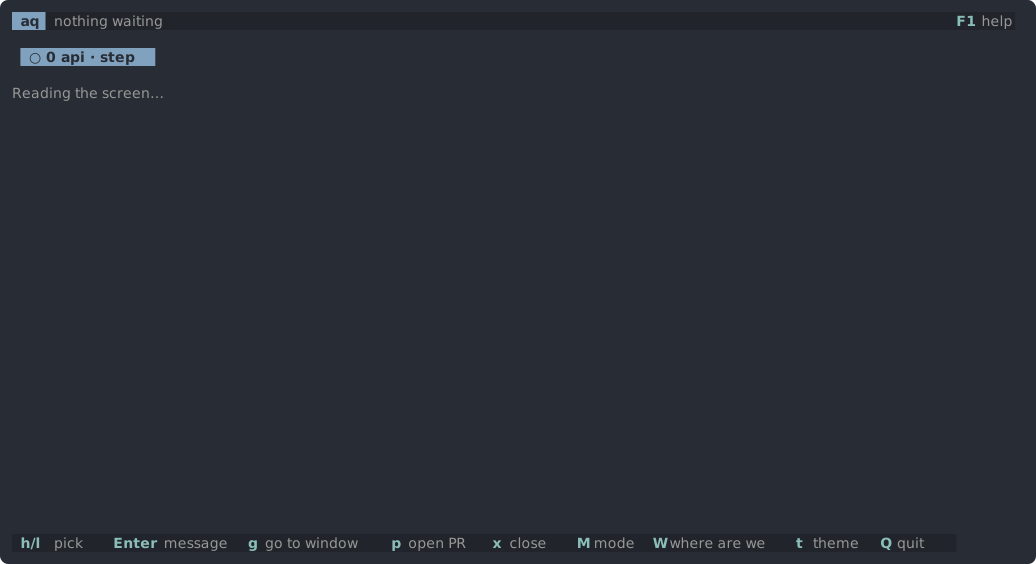
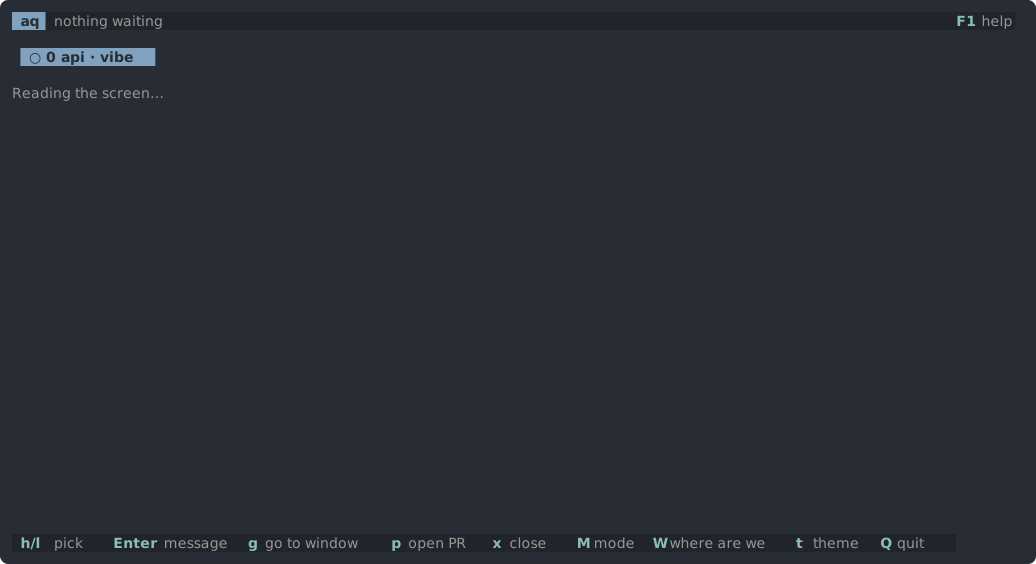
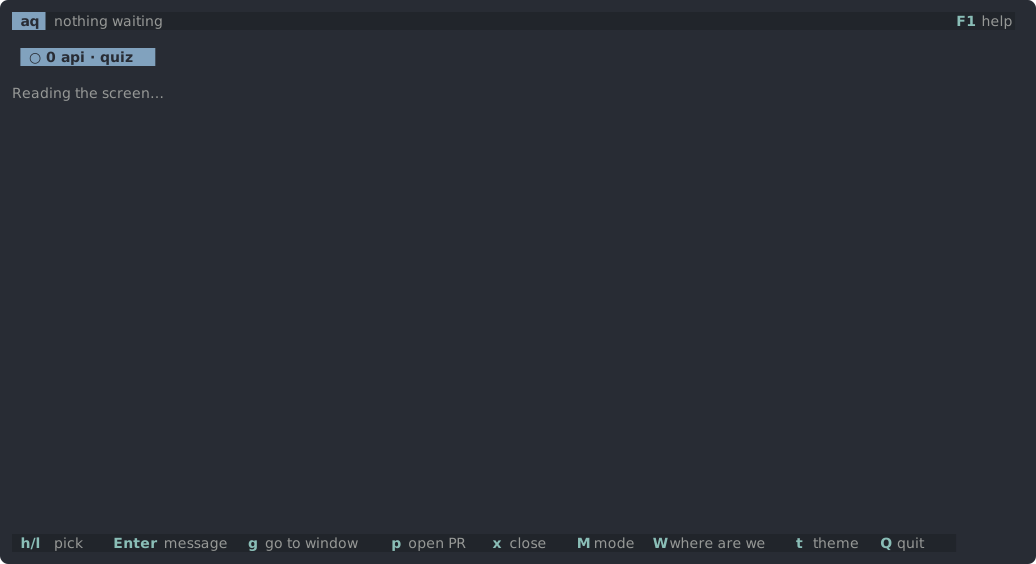
review → step by step → quiz → vibe → review
The tab shows the mode when it is not review. A new mode applies from the session's next finished turn; the card on screen stays as it is.
| Mode | What needs you |
|---|---|
| Review (the default) | When a session finishes a turn, its diff becomes a review card. |
| Step by step | Each edit waits for you before it is applied, as a step card. A shell command that changed files becomes a shell change card. |
| Quiz | When a session finishes, you explain pieces of its diff in your own words on a quiz card. |
| Vibe | Nothing is checked. A finished turn makes no card. |
In every mode, permission prompts, questions, option menus and messages between sessions still come to the queue.
Choosing a mode
- Review suits most work: the session codes a whole turn, and you read the change and comment once.
- Step by step suits code where every change matters, such as a payments service. Each edit waits for a yes.
- Quiz checks that you understand a change before you build on it.
- Vibe suits throwaway scripts and experiments.
Step mode needs the aq hooks. Restart a session started before the hooks were added.
The only way back from vibe mode is M on the project's tab in the sessions view, because vibe mode makes no cards to press M on.
Cards
Each kind of card has its own keys. These keys work on every card:
| Key | What it does |
|---|---|
Space | skip this card for now |
B | move it to the back of the queue |
? | ask the session a side question |
W | where are we: a short summary of what is done and what is left |
! | a shell in a popup, in this project |
N | a new Claude session in this project |
O | open a workspace |
M | next mode for this project |
t | next theme |
F1 F2 F3 | help, the tour, the keys row |
Q | quit aq |
Moving around works as in vim, on every card that scrolls:
| Keys | Move |
|---|---|
j k | a line |
Ctrl-d Ctrl-u | half a page |
Ctrl-f Ctrl-b | a whole page |
gg G | first or last line |
{ } or [c ]c | previous or next change |
H L or [[ ]] | previous or next file; Tab also goes to the next one |
The kinds of card:
- Review: a finished turn's diff.
- Step: one edit, waiting to be applied.
- Shell change: what a shell command changed, in step mode.
- Permission: Claude asks to run a tool.
- Question and option menu: a session asks you something.
- Message between sessions: one session asks another to do something.
- Quiz: explain a piece of the diff.
Review card
In review mode, when a session finishes a turn, its diff becomes a review card. You read the change, comment on lines, and send all the comments back to the session as one message, like a pull request review.
Keys
| Key | What it does |
|---|---|
c | comment on the line, or on the range you picked with V |
x | delete the comment under the cursor |
s | send every comment to the session as one message |
a | approve the lot |
d | mark the file done: it is ticked and skipped |
u | show done files again |
V | start a range of lines |
v | split or unified view |
r | the whole branch, or only this round |
m | Markdown as written, or as read (the default) |
f | hide or show the file list, for a wider diff (remembered) |
e | open the file at this line in $VISUAL or $EDITOR, in a popup |
Moving: j k by line, ]c [c by change, H L or Tab by file.
Rounds
Each time a session finishes a turn, aq starts a new round for that project. By default the card shows only what changed in this round. r switches to the whole branch, which helps when a fix touches code from an earlier round.
Markdown
Markdown files (plans, specs, READMEs) show as read: headings, bold, code and bullets are styled and their marks hidden. m shows the file as written.
Comments survive a restart
Unsent comments are saved. If aq restarts, they come back on the next review card for the same project and round.
A question in the same turn
If the turn ended with a question as well as a diff, the question shows on the review card, and sending your comments answers it.
Step card
In step mode, each edit Claude wants to make waits on a step card before it is applied. The card shows the edit as a diff against the file as it is now.
Keys
| Key | What it does |
|---|---|
y | allow the edit |
n | refuse it, with a reason Claude reads |
e | ask for a different change |
j k | move |
H L or Tab | previous or next change |
za | fold or unfold the context |
zR | unfold all |
w b | next or previous word |
gd | find the word under the cursor in the project |
m | show the raw tool input |
How the wait works
The PreToolUse hook holds Claude's edit until you answer. Claude waits; it does not time out for almost an hour. If aq quits while an edit is waiting, the edit is refused with a note to try again, so nothing lands unchecked.
Step mode needs the aq hooks in the session's settings. A session started before you added them has to be restarted.
Shell change card
In step mode, edits wait for you, but a shell command runs straight away. So after a Bash call in a step-mode project, aq compares the project's files before and after. If the command changed anything, the change becomes a card.
Keys
| Key | What it does |
|---|---|
y | keep the change |
u | ask Claude to undo it |
j k | move by line |
]c [c | next or previous change |
H L or Tab | previous or next file |
v | split or unified view |
f | hide or show the file list |
Permission card
When Claude asks for permission to run a tool, the PermissionRequest hook sends the request to aq, and it becomes a permission card. Permission cards come first in the queue, because the session is stuck until you answer.
Keys
| Key | What it does |
|---|---|
y | allow, once you have scrolled to the end |
n | deny, with a reason Claude reads |
j k | scroll |
PgUp PgDn | scroll a page |
G | go to the end |
g | go to the session's window |
y works only once you have seen the whole request, so a long command cannot hide something at the end.
If you answer in the window
You can still answer the prompt in the session's own window. The card then stays, marked "answered elsewhere", until you press a key.
If aq is not running, or quits while a request waits, the normal permission prompt shows in the session's window.
Question and option menu
Question card
When a session ends its turn by asking you something, such as approving a draft or choosing between two ways, its last message becomes a question card.
| Key | What it does |
|---|---|
a | approve: sends "Approved, carry on." (only when the question asks for a go-ahead) |
Enter | reply in your own words; Claude's suggested next prompt shows in lighter text, and Tab or Ctrl-F fills it in |
x | stash the card |
r | read it fast, a word at a time |
g | go to the session's window |
j k | scroll |
Stashed questions
x puts a question aside without answering it. The top bar shows how many are stashed, and S lists them:
| Key | What it does |
|---|---|
Enter | bring the question back to the front of the queue |
x | drop it |
j k | choose |
Esc | close the list |
A stashed question goes once its session moves on.
Option menu
When Claude asks with its own menu of options (its AskUserQuestion tool), the PreToolUse hook catches the menu before it shows, and the card lists the options. The answer goes back through the hook, so nothing is typed into the session.
| Key | What it does |
|---|---|
1-9 | pick an option |
j k and Enter | the same |
Space or 1-9 | tick an option, where several apply; Enter answers |
o | answer in your own words |
u | back a question |
x | let the menu show in the session's window instead |
g | the same, and go there |
This needs AskUserQuestion in the PreToolUse hook's matcher. The hooks in contrib/settings-hooks.json have it.
Message between sessions
A session can ask another session to do something with aq tell:
aq tell web "The API now returns created_at as an ISO date; update the client."
The name is the other session's project, as its tab shows it. aq tell with no arguments lists the sessions it can tell.
Nothing reaches the other session until you say so. Each message becomes a card:
| Key | What it does |
|---|---|
y | send it, starting "From the |
e | edit it first |
n | drop it |
r | read it fast |
j k | scroll |
In vibe mode the message goes at once, with no card.
Telling sessions about it
Sessions opened from a workspace are told how to use aq tell. For a session started another way, add a line like this to its CLAUDE.md:
To ask a Claude session in another repo to do something, run `aq tell <name> "<message>"`; `aq tell` alone lists the sessions.
Claude asks before it runs aq tell unless the command is allowed, for example with Bash(aq tell:*) in permissions.allow.
aq tell exits with status 0 once the card is in aq's queue, and with 1 and a reason if it could not be (for example, aq is not running, or the name matches no session). Claude does not wait for your answer.
Quiz card
In quiz mode, when a session finishes, aq picks the parts of the diff that matter and asks you about each one: what the code does, or why it was done that way. You answer in your own words, and a judge marks the answer. One question on the whole change comes last.
If an answer is not right, or you say you don't know, you get a question that leads towards what you missed, and another try. After two tries the answer is shown.
Keys
| Key | What it does |
|---|---|
Ctrl-S, or Enter on an empty line | submit the answer |
Esc | put the answer box away |
Enter | answer again after Esc |
m | show the whole file |
e | show the answer now |
y | fine as is |
c | ask for a fix |
r | judge or generate again |
x | dismiss a quiz that failed |
Gaps in the code
Sometimes the judge finds a gap in the code itself, not in your answer. The card then offers keep-as-is (y) or send-a-fix (c), which sends the gap back to the session.
Cost
aq writes the questions and judges the answers with claude -p, a separate Claude run with read-only tools, so quiz mode uses your Claude plan's usage.
Sessions view
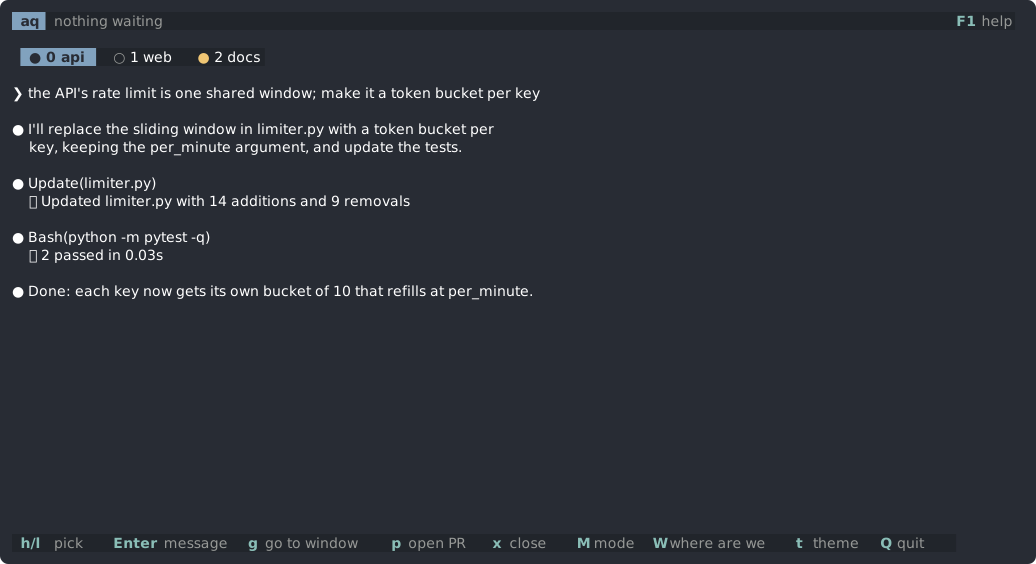
When nothing is waiting, aq shows a tab for each Claude session, with the picked session's screen live underneath.
Tabs
●means the session is waiting for you;○means it is working.- Each tab shows the session's permission mode (auto, plan, accept edits) as its footer does, and the project's mode when it is not review.
- Sessions in different tmux sessions get a row each, led by the tmux session's name.
While aq's window is showing, tmux's own status line is hidden, since the tabs list the sessions. It shows on your other windows, and comes back when aq quits.
Keys
| Key | What it does |
|---|---|
h l (or j k) | pick a session |
Tab | the session you last typed in, here or in its own window; Tab again goes back to the one before. Moving with h l does not count. |
g | go to its window |
Enter | message it: sent now, or once it is idle (Esc cancels) |
A | message every session in its tmux session, each once idle |
W | ask where it is up to |
? | ask it a side question |
r | read its last reply fast |
b | that session in a popup the size of the ? box, with /btw typed in its box for a side question; Ctrl-Q closes it |
p | ask an idle session to open a PR (/create-pr) and go there |
m | switch its model: f fable, o opus, s sonnet, h haiku |
P | switch its permission mode: a auto, m manual, e accept edits, p plan |
x | close the session's pane, after a yes (claude --resume reopens it) |
Esc Esc | stop what it is doing, as Esc in Claude Code; also drops a message queued for it |
M | next mode for its project; the only way back from vibe mode |
Messages
Enter opens a box to message the picked session. If the session is busy, the message waits and is sent once the session is idle at its prompt.
Claude Code's suggested next prompt, when it has one, shows in lighter text in the box. Tab or Ctrl-F fills it in.
p and m use Claude Code's own commands: /create-pr, and /model, which also makes the model the default for new sessions.
Scrolling back
| Key | What it does |
|---|---|
Ctrl-U Ctrl-D, PgUp PgDn, or the mouse wheel | scroll the session's screen back, into its conversation |
Home | its oldest line |
G or End | back to the latest |
Scrolling up past the screen reads the session's conversation from its transcript, so you can read further back than tmux keeps.
New sessions and workspaces
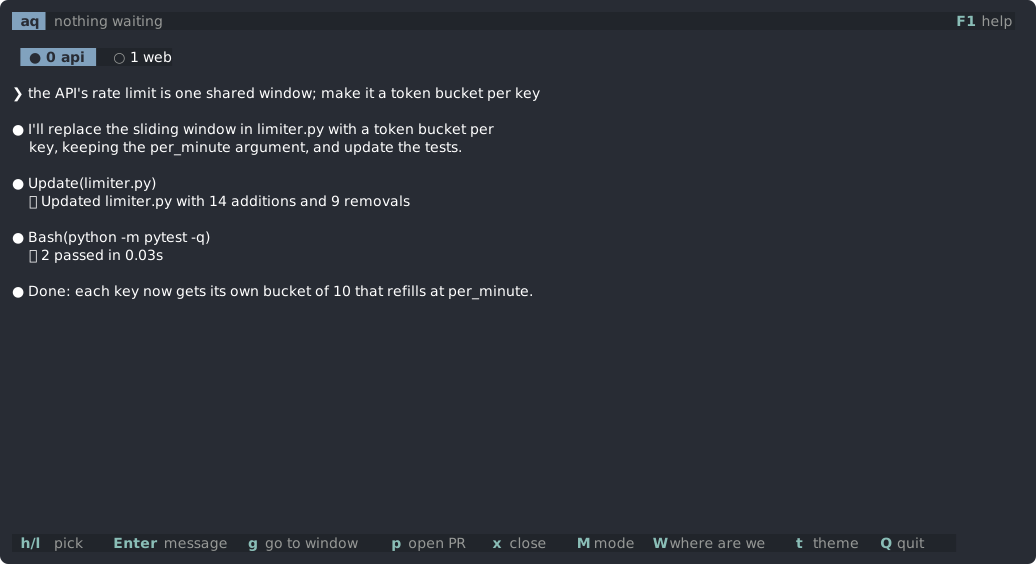
A new session: N
N starts a new Claude session in the project in front of you, in a tmux window of its own. What you type in the box is its first prompt.
| Key in the box | What it does |
|---|---|
Tab | give the session a git worktree of its own (claude --worktree), so two sessions do not edit the same files |
Ctrl-O | pick another folder |
Enter | start the session |
After Ctrl-O, type a path. The matching folders are listed underneath: Tab completes and the arrows choose. A folder that is not there yet is made when the session starts.
Trusting a folder
The first time Claude Code starts in a folder, it asks whether you trust it. aq shows the question in its own box:
| Key | What it does |
|---|---|
y | trust the folder |
n | close the new session |
a | trust every folder waiting |
When several sessions ask at once, they are asked about in turn.
Workspaces: O
A workspace is a set of git repos in one folder, for work that spans them. O opens one:
- Pick the folder that holds the repos. aq finds the git repos inside it, up to two levels down, and ticks them all.
Spaceunticks a repo you do not want;aticks all or none.Enterstarts a Claude session in each repo, as windows of one tmux session named after the folder. They share a row of tabs in the sessions view.
aq saves the set in its config, and O lists it next time. Opening it again starts only the repos that have no session in that tmux session yet.
Sessions opened from a workspace are told about each other and about aq tell, so they can ask each other for work.
Side questions, shell and fast reading
Side questions
? asks the session a side question about what is on screen: a card, or the picked session in the sessions view. aq starts a copy of the session (claude --resume --fork-session) and asks the copy. The session itself never sees the question or the answer, so its conversation and context are not changed.
W asks the same kind of copy where the session is up to: a short summary of what is done and what is left.
Shell
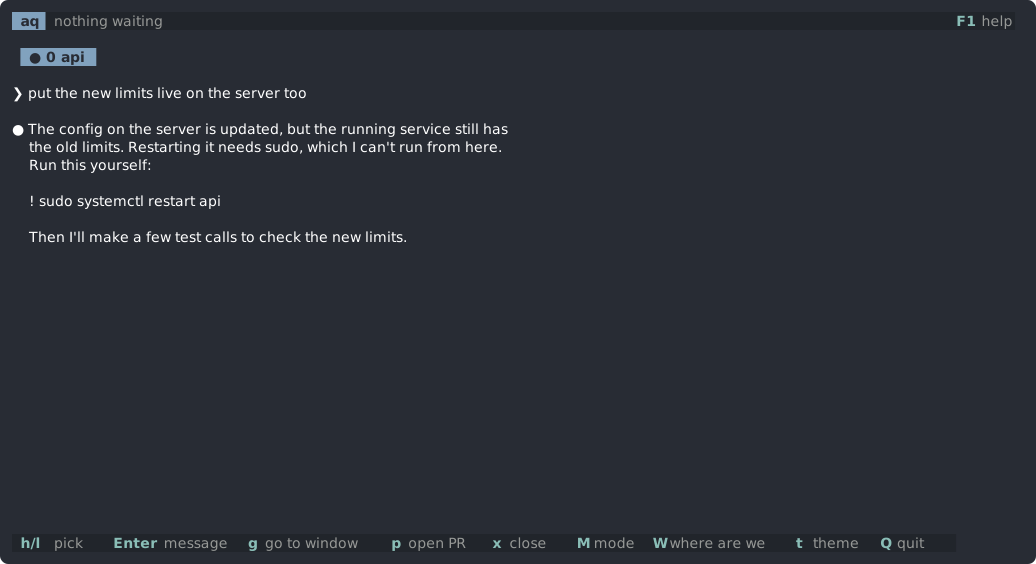
! opens a shell in a tmux popup, in the project's folder. Use it for things Claude cannot run itself: sudo, logins, or commands its permissions block.
The last ! command Claude suggested is copied and, in zsh, already typed in, so Enter runs it. The popup closes when the shell exits.
Fast reading
r shows a text one word at a time, in the same place, so your eyes do not move. It works on question cards, on messages between sessions, and on a session's last reply in the sessions view.
| Key | What it does |
|---|---|
Space | pause or play |
↑ ↓ | faster or slower, by 25 words a minute |
a number, then Enter | set the speed in words a minute |
← → | back or on ten words |
Home | back to the start |
Esc | close |
The speed starts at 350 words a minute, between 100 and 1500, and aq remembers it. Each word's focus letter, a little left of its middle, sits under the guide marks. Words at the end of a sentence or clause, and long words, stay a little longer.
Selecting text
Drag with the mouse to select text; letting go copies it. A double-click copies the word, and a triple-click the whole line.
Every key
This is the same list as aq's help page (F1).
Anywhere
| Key | What it does |
|---|---|
F1 | help |
F2 | the tour again |
F3 | show or hide the keys row |
M | next mode for this project |
t | next theme |
Q | quit aq |
? | ask the session a side question; a copy answers |
W | where are we: a short summary of what is done and what is left |
! | a shell in a popup, in this project |
N | a new Claude session in this project |
O | open a workspace |
| drag | select text; letting go copies it |
| double-click, triple-click | copy the word, or the whole line |
Every card
| Key | What it does |
|---|---|
Space | skip this card |
B | move it to the back of the queue |
Moving around, vim style
| Key | Move |
|---|---|
j k | line |
Ctrl-d Ctrl-u | half a page |
Ctrl-f Ctrl-b | whole page |
gg G | first or last line |
{ } or [c ]c | previous or next change |
H L or [[ ]] | previous or next file; Tab also goes to the next one (on a step card, between changes) |
Review card
| Key | What it does |
|---|---|
c | comment |
x | delete comment |
s | send comments |
a | approve all |
d | mark the file done |
u | show done files again |
V | range |
v | split or unified view |
r | whole branch or this round |
m | Markdown as written, or as read |
f | hide or show the file list |
e | open the file at this line in your editor |
Step card
| Key | What it does |
|---|---|
y | allow |
n | reject with a reason |
e | ask for a different change |
za | fold |
zR | unfold all |
w b | word forward or back |
gd | find the word in the project |
m | raw input |
Shell change card
| Key | What it does |
|---|---|
y | keep the change |
u | ask Claude to undo it |
v | view |
f | file list |
Permission card
| Key | What it does |
|---|---|
y | allow (once you have scrolled to the end) |
n | deny with a reason |
PgUp PgDn | page |
G | end |
g | go to the session's window |
Question card
| Key | What it does |
|---|---|
a | approve (sends "Approved, carry on.") |
Enter | reply in your own words |
x | stash the card |
S | the stashed questions: Enter brings one back, x drops it |
r | read it fast |
g | go to the session's window |
Option menu
| Key | What it does |
|---|---|
1-9 | pick (or tick, where several apply) |
j k + Enter | pick |
Space | tick |
o | answer in your own words |
u | back a question |
x | let the menu show in the session's window |
g | the same, and go there |
Message card
| Key | What it does |
|---|---|
y | send it |
e | edit it first |
n | drop it |
r | read it fast |
Quiz card
| Key | What it does |
|---|---|
Ctrl-S, or Enter on an empty line | submit |
Esc | put the box away |
Enter | answer again after Esc |
m | whole file |
y | fine as is |
c | ask for a fix |
e | show the answer now |
r | judge or generate again |
x | dismiss a failed quiz |
Fast reader
| Key | What it does |
|---|---|
Space | pause or play |
↑ ↓ | speed |
number, Enter | set the speed |
← → | back or on ten words |
Home | the start |
Esc | close |
Sessions view
| Key | What it does |
|---|---|
h l (j k) | pick a session |
g | go to its window |
Tab | the session you last typed in; again for the one before |
Enter | message it |
A | message every session in its tmux session |
p | ask it to open a PR |
m | switch its model |
P | switch its permission mode |
r | read its last reply fast |
b | the session in a popup, with /btw typed |
x | close its pane |
Esc Esc | stop it |
Ctrl-U Ctrl-D, PgUp PgDn, wheel | scroll its screen back |
Home | its oldest line |
G End | back to the latest |
Typing in a box
| Key | What it does |
|---|---|
Ctrl-U | delete to the line start |
Ctrl-K | delete to the line end |
Ctrl-W | delete the word before |
Alt-Backspace | the same, up to punctuation |
Ctrl-A Ctrl-E | line start or end |
Alt-B Alt-F | word back or forward |
Hooks
aq talks to Claude Code through three hooks. Each one runs aq hook <event>, which sends the event to the running aq over a Unix socket and prints aq's answer.
The hooks
Add these to ~/.claude/settings.json, merged into any arrays you already have. The same JSON is in contrib/settings-hooks.json.
{
  "hooks": {
    "PreToolUse": [
      {
        "matcher": "Edit|Write|MultiEdit|NotebookEdit|AskUserQuestion",
        "hooks": [
          { "type": "command", "command": "aq hook pre-tool --deadline-secs 3570", "timeout": 3600 }
        ]
      }
    ],
    "PostToolUse": [
      {
        "matcher": "Bash|Edit|Write|MultiEdit|NotebookEdit",
        "hooks": [
          { "type": "command", "command": "aq hook post-tool", "timeout": 30 }
        ]
      }
    ],
    "PermissionRequest": [
      {
        "hooks": [
          { "type": "command", "command": "aq hook permission --deadline-secs 3570", "timeout": 3600 }
        ]
      }
    ]
  }
}
| Hook | What aq does with it |
|---|---|
PreToolUse on edits | In step mode, holds the edit until you answer its step card. In other modes, answers at once. |
PreToolUse on AskUserQuestion | Shows Claude's option menu as a card and answers it. |
PostToolUse | Notes which files each session touched, for review cards, and spots shell changes in step mode. Never blocks. |
PermissionRequest | Shows the request as a permission card. |
When aq is not running
The hooks do nothing. With no answer from aq, Claude Code carries on as normal: edits go through the usual permission flow, and permission prompts and menus show in the session's window. Silence never approves anything.
Timeouts
Claude Code cancels a hook after its timeout, and a cancelled hook does not block the call. So aq's hooks answer by themselves 30 seconds before the timeout (--deadline-secs 3570 against timeout: 3600):
- an edit still waiting in step mode is refused, with a note telling Claude to try again shortly;
- a permission request or option menu gets no decision, so it shows in the session's window.
Restart sessions after adding hooks
A Claude session reads its hooks when it starts. Restart sessions that were running before you added them, or step mode and the cards that come from hooks will not work for them.
Hook formats
The JSON aq reads and writes for each event, checked against Claude Code's hooks reference with real runs, is in docs/hooks.md in the repo.
Files and configuration
You rarely need to edit these by hand: aq writes them as you use it.
Config: ~/.config/aq/config.toml
| Setting | What it holds | Changed with |
|---|---|---|
theme | the theme's name | t |
modes | each project's mode | M |
hide_files | whether review cards hide the file list | f |
show_keys | whether the keys row shows | F3 |
read_wpm | the fast reader's speed | ↑ ↓ in the reader |
tutorial_done | whether the tour has been finished or skipped | the tour |
workspaces | saved workspaces: a root folder and its repos | O |
XDG_CONFIG_HOME moves the folder.
Themes
aq has five themes built in: tokyo-night, catppuccin-mocha, gruvbox-dark, rose-pine-dawn and ghostty. t moves to the next one.
To add your own, put a .toml file in ~/.config/aq/themes/. A theme with a built-in's name replaces it. Every colour is required:
name = "mine"
bg = "#1a1b26"      # background
panel = "#16161e"   # boxes and panels
line = "#232433"    # the cursor line
fg = "#c0caf5"      # text
dim = "#565f89"     # quiet text
acc = "#7aa2f7"     # accents and headings
hi = "#e0af68"      # highlights
add = "#9ece6a"     # added lines
add_bg = "#20303b"
del = "#f7768e"     # deleted lines
del_bg = "#37222c"
sel = "#283457"     # selection
key = "#7dcfff"     # key names in hints
ok = "#9ece6a"      # done and allowed
An optional syntax names one of the code highlighting themes bundled with aq; without it, aq builds one from the theme's own colours. A file with an error is skipped, with a warning.
State: ~/.local/state/aq/state.json
Review rounds, unsent comments and quiz progress, so a restart loses nothing. XDG_STATE_HOME moves the folder.
Socket
The hooks reach aq over a Unix socket: $XDG_RUNTIME_DIR/aq.sock, or /tmp/aq-$UID/aq.sock. AQ_SOCKET overrides it. The socket's folder must be private to you; aq refuses to start if other users can open it.
Troubleshooting
No tabs in the sessions view
- aq must run inside tmux, on the same tmux server as your sessions.
- aq finds sessions by looking for
claudeprocesses in tmux panes, through/proc. It runs on Linux only.
Step mode lets edits through
The session was probably started before you added the hooks. Restart it. Check also that the PreToolUse matcher includes Edit|Write|MultiEdit|NotebookEdit.
Permission prompts show in the window, not in aq
- aq is not running, or the session started before the hooks were added.
- The
PermissionRequesthook is missing from~/.claude/settings.json.
Option menus show in the window
The PreToolUse matcher must include AskUserQuestion.
"is open to other users" on start
The socket's folder can be opened by other users. Make it private (chmod 700), or point AQ_SOCKET at a file in a folder only you can open.
A message waits and is never sent
A message is sent once its session is idle at its prompt with an empty input box. If you have half-typed something in the session's own window, the message waits until the box is empty. Esc Esc on the session's tab drops a queued message.
A system broadcast garbles the screen
A wall message (such as "The system will reboot at...") is written over every terminal, aq and the Claude panes included. aq repaints its own screen within 5 seconds, and Ctrl-L repaints it at once. A session whose screen shows a broadcast gets a Ctrl-L too, which makes Claude Code redraw without touching what is typed in its box. The broadcast is never read as text typed in that box.
Report a problem
Open an issue at github.com/nodo-labs-uk/attention-queue/issues, with what you did, what you expected and what happened.
Compared with other tools
| aq | Claude Squad | Conductor | Vibe Kanban | tuicr | |
|---|---|---|---|---|---|
| Runs in | terminal | terminal | macOS app | browser | terminal |
| Works with sessions already running in tmux | ✓ | starts its own | starts its own | starts its own | any repo |
| One queue of what needs you, across sessions | ✓ | list of sessions | list of workspaces | task board | – |
| Line comments go back to the agent | ✓ directly | – | diff view | ✓ | ✓ clipboard or skill |
| Approve each edit before it lands | ✓ | – | – | – | – |
| Quiz on the change | ✓ | – | – | – | – |
| Permission prompts in the same place | ✓ | – | – | – | – |
| Starts new sessions | ✓ in a tmux window | ✓ | ✓ | ✓ | – |
| Sets up a worktree per session | optional, Tab on N | ✓ | ✓ | ✓ | – |
aq can start a session (N), and in a worktree of its own if you ask, but it leaves branches and merging to you and Claude: start Claude however you like and aq picks it up. If you would rather have one app that manages every session's branch for you, one of the others is a better fit.